
What are Uber Eats' menu photo requirements?
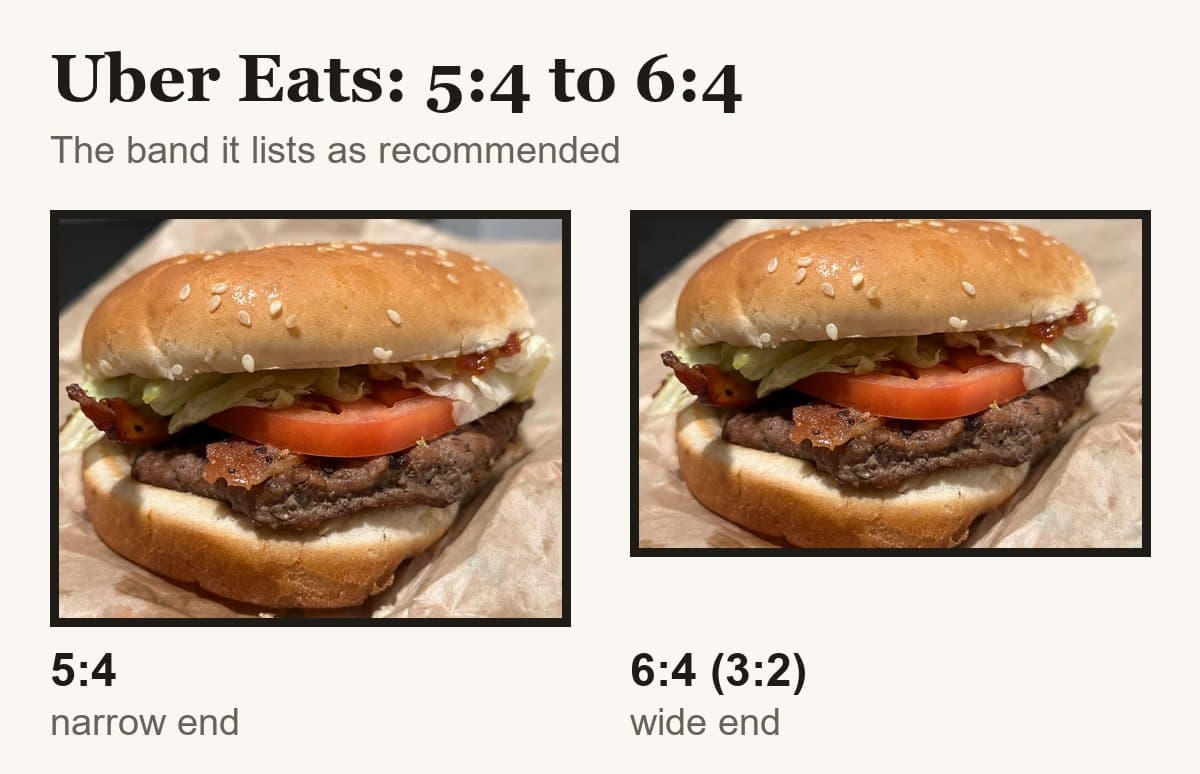
Uber Eats accepts menu item photos from 550 to 10,000 pixels wide and 440 to 10,000 tall, as JPG, PNG or GIF, under 10 MB, framed between 5:4 and 6:4. Cover images are a separate spec: 2880 x 2304, 5:4, JPEG, reviewed in up to 3 business days.
At a glance
- Shape
- 5:4 to 6:4 landscape
- Minimum size
- 550 × 440 px
- Max file size
- 10 MB
- Formats
- JPG, PNG, or GIF
From Uber Eats's own page, read .

Su Lee · Founder, MenuPhotoLab
13 min read · Sources last read · 9 sources
On this page · 8 sections
- What size do Uber Eats menu photos need to be?
- What gets an Uber Eats photo rejected?
- How long does Uber Eats take to approve a photo?
- How do I replace a rejected Uber Eats photo?
- Can customers add photos to your Uber Eats menu?
- Can you use Uber Eats photoshoot photos on DoorDash?
- What this means if you sell on more than one platform
- Frequently asked questions
Read in another language
Will your photo pass Uber Eats?
Check its size, shape and file type against Uber Eats’ published rules in a few seconds. The photo stays on your device and nothing is uploaded.
Drop a photo here, or choose one from your phone or computer.
What size do Uber Eats menu photos need to be?
Uber publishes bounds rather than a target. Item photos have a floor and a ceiling on both dimensions, and the cover image at the top of your store page is a separate specification with an exact size. I first read both on 2026-08-30 and re-read them on 2026-09-22. Every figure below was unchanged.
| Menu item photo | Cover image | |
|---|---|---|
| Width | 550 to 10,000 px | 2880 px |
| Height | 440 to 10,000 px | 2304 px |
| Aspect ratio | Between 5:4 and 6:4 | 5:4 |
| File types | JPG, PNG or GIF | JPEG |
| File size | Max 10 MB, or 5 MB via Creative Hub | Not stated separately |
| Where it appears | Beside the item on your menu | Top of your store page in the app |
Three things in that table are worth a second look, because all three are unusual.
Uber publishes a maximum resolution
Neither DoorDash nor Grubhub does. If a file is larger than 10,000 pixels on either side it is out of spec, which is a rule you can only break with a scan or a stitched panorama, but it is stated and the others do not state it.
The floor is itself exactly 5:4
550 by 440 is 1.25:1, which is the narrow end of the accepted range rather than a number chosen independently of it. So the minimum size and the minimum shape are the same rule expressed twice.
The file size cap depends on where you upload from
The same sentence gives two numbers: 10 MB in general, and 5 MB for Creative Hub in Uber Marketing Manager. So a file that Uber accepts on your menu can be refused by Uber's own marketing tool. Staying under 5 MB clears both.
What gets an Uber Eats photo rejected?
Uber's list is the most explicit of the three platforms, and unlike DoorDash's it is written as a set of flat prohibitions rather than as advice. That helps: most of the reasons are checkable against your own file before you upload it again. The left column below is Uber's wording.
| Uber's rule | What it means in practice | The fix |
|---|---|---|
| Contain more than 1 single item | One menu item per photo. A platter with its side and a drink reads as more than one item, even when you sell it as one thing | Shoot the item alone. If the item genuinely is a combo, photograph it as it ships and expect this rule to be the one that bites |
| Be framed in the center | Uber adds that items should not appear at the corners or off frame. An off-center composition that looks like editorial food photography fails here, even when it is the better picture | Center the dish. This is the rule most likely to catch a genuinely good photo |
| Depict people (except for hands) | Hands are carved out in the rule itself. Faces, staff and diners are not | Crop the person out, or reshoot. Hands holding or serving are fine |
| Be blurry or out of focus | Phone autofocus commonly locks onto the table edge or the rim of the plate rather than the food | Tap to focus on the dish before shooting, and check at full size rather than on the phone preview |
| Have strong shadows or insufficient lighting | Overhead restaurant lighting and direct flash are the two usual causes | Shoot near a window with the overhead light off. This is the most common reason a photo taken at 9pm fails |
| Depict an unsanitary environment | Uber spells this out as dirty surfaces, plating or packaging, and used cutlery | Clear the table. A used fork in the corner of the frame is enough |
| Contain logos or watermarks | A watermark you added is out. Branding that genuinely appears on the food or its packaging is allowed | Export a clean file with no studio mark, no price stamp and no logo overlay |
| Contain any text/words | Same exception as logos: text that is physically on the food or packaging is allowed | Remove captions, price badges and promotional text from the image itself |
| Infringe anyone else's rights with respect to such images | Stock photography, supplier images and anything pulled from a search engine. Uber states separately that you must own or have the right to use your images | Use a photo you took or paid for outright |
Separate category rules apply on top of these. Uber prohibits images of smoke related products including tobacco, vapes, cigars, CBD and e cigars, prohibits infant formula, and prohibits items requiring a prescription. For alcohol, Uber's cover photo rules ask that images be referential with no particular brand displayed, or else carry a health warning; its item photo section states no alcohol rule (re-read 2026-10-05). The alcohol guide compares all three apps.
| Rule | Uber Eats | DoorDash | Grubhub |
|---|---|---|---|
| Hands in frame | Allowed, stated as an exception to the no people rule | Allowed if not distracting or obscuring the item | Prohibited, no body parts |
| More than one item | Prohibited | Prohibited, no extra dishes, packaging or drinks | Not stated |
| Added text or watermarks | Prohibited | Prohibited | Limited text, food focused |
| Stock or third party imagery | Prohibited, you must hold the rights | Prohibited | Prohibited except corporate chain photos |
| Published review time | Up to 3 business days (cover images) | Not published | Not published |
| Appeal route | None published. Fix and resubmit | Undocumented, but a Request review control exists in Menu Manager | None published |
How long does Uber Eats take to approve a photo?
Cover image review takes up to 3 business days. Uber publishes no review time for menu item photos, and neither DoorDash nor Grubhub publishes one at all.
You upload through Menu Maker in Uber Eats Manager: open the item, drop the photo into the Photo section, save, then click Request Approval. The photo then sits at Pending until it becomes Approved or Rejected. On a rejection, Uber's instruction is to check Menu Maker to see the reason. The See Reasons link Uber documents is for cover images in Uber Eats Manager, and its help pages do not mention a rejection email.
What Uber does not publish is an appeal. Their instruction after a rejection is to edit the photo and submit it again. Grubhub's live help page documents no route after a rejection at all.
DoorDash is the exception, and not in its documentation either: its merchant portal puts a Request review control on the rejection notice, with wording inviting you to use it if you think the rejection was a mistake. We verified that in the portal on 2026-08-30 and it is shown on our DoorDash rejection guide. So of the three, one has a contest path and hides it, and two appear to have none at all.
How do I replace a rejected Uber Eats photo?
For a menu item photo, in Menu Maker, this is the exact path Uber publishes:
Open Menu Maker and click Overview.
Click the menu item to open the Edit item side panel.
Hover over the photo and click the pencil icon.
Select Replace, then follow the prompts to add a new photo.
Click Done, then Save.
Cover images are uploaded through Uber Eats Manager on the Stores Page tab instead, which is the same split that decides where the rejection reason is shown.
Fix the file before you resubmit rather than after. Uber publishes no review time for item photos, so a photo that fails twice for two different reasons can leave a dish without your picture for days.
Can customers add photos to your Uber Eats menu?
Yes, and this is the part of Uber's system most restaurant owners do not know about.
Uber runs a customer photo program. In Uber's own words, customers "can now submit photos of their purchased items for review," and "reviewed and accepted photos may be featured on the restaurant's Uber Eats page." Uber adds that accepted photos "may appear on the restaurant's Uber Eats store page within 1-5 business days" and "may also be featured on the restaurant's menu or for other promotional purposes."
Uber reviews these for relevance, quality and adherence to its user generated content terms, and tells customers not to submit AI generated or heavily edited images. So there is a filter. But the filter is Uber's, and the photo is of your food, taken in whatever light the customer happened to be sitting in, after a delivery.
Correction, 2026-09-24: Uber does publish an opt out. This page used to say it did not. I had checked two customer photo pages on 2026-08-30 and found none, but Uber's merchant version of the same FAQ says "Restaurants may opt-out of this feature by emailing merchants@uber.com or calling 1-833-ASK-EATS." It also narrows when customer photos appear: "User-submitted photos will only be displayed for dishes missing a photo." So a photo you upload keeps the slot yours.
Can you use Uber Eats photoshoot photos on DoorDash?
Uber's page does not say you cannot. DoorDash's pages do, though not in the same words twice. Those are different situations and the difference matters.
Uber offers qualifying restaurants one complimentary photo shoot during onboarding, with additional shoots available by scheduling. The photographer covers individual items plus one profile image, and the finished files are emailed to you and to your Uber Eats representative. On the same page Uber writes: "Feel free to use the photos in your own marketing, too."
DoorDash's equivalent pages go the other direction, and DoorDash writes the rule three different ways. Its merchant blog, read 2026-09-04, makes it a prohibition: "You use these photos on DoorDash, your website, social media accounts, and promotional materials. You cannot use the photos on any other third-party delivery platforms." Its help center makes it a request, on the same day, on two separate pages: "These images are yours to keep, we only ask that you don't use the photos on any other third-party delivery platforms," and "Please don't use these images on other third-party delivery platforms."
That gap is worth holding onto. "Cannot" and "we only ask" are not the same instruction, all three pages are DoorDash's own, and none of them acknowledges the others. It is the same shape as DoorDash publishing two file-size caps on one page, and as Grubhub publishing two photo specs that disagree.
Do not read Uber's silence as permission. "Your own marketing" is a phrase about your website, your social accounts and your printed menu. It is not obviously a phrase about a competing delivery marketplace, and a merchant marketing page is not the contract. The binding terms are in the agreement you signed with each platform, and they are the thing to check before a file crosses from one app to another.
The reason this comes up at all is that a free platform shoot is only free for the platform that ran it. If the photos you own outright are the ones you paid for or shot yourself, that constraint disappears, and it is the single clearest reason a restaurant on three marketplaces ends up wanting photos that belong to it.
What this means if you sell on more than one platform
Uber Eats is the most forgiving of the three on shape, and completely incompatible with DoorDash on it.
Uber accepts anything from 1.25:1 to 1.5:1. Grubhub's developer specification is 4:3, which is 1.33:1 and lands in the middle of that band. Grubhub's help center says 1:1, which is 1.0 and falls off the narrow end. DoorDash accepts 16:9 only, which is 1.78:1 and falls off the wide end. There is no single file that is a legal shape on both Uber Eats and DoorDash.
That leaves one workable plan, and it is a shooting decision rather than an export setting. Shoot 4:3 with the dish centered and give it room on all four sides. From that original you can export a 4:3 for Uber Eats and Grubhub, a square for Grubhub's help center spec, and a 16:9 for DoorDash by cropping the top and bottom. The reverse never works: a 16:9 file has already thrown away the height that Uber Eats and Grubhub both need, and no amount of editing puts it back.
Uber's own centring rule pushes you the same way. If the item must not appear at the corners or off frame, the composition that satisfies Uber is also the composition that survives being cut to a different rectangle for somebody else.
| DoorDash | Uber Eats | Grubhub | |
|---|---|---|---|
| Item photo shape | 16:9 landscape | 5:4 to 6:4 landscape | 1:1 to 4:3, Grubhub's own docs disagree |
| Minimum size | 1400 x 800 px | 550 x 440 px | 200 x 200 px |
| File types | JPG or PNG | JPG, PNG, or GIF | PNG per the help center; PNG, JPEG or JPG per the developer docs |
| File size cap | 2 MB stated, 16 MB for item photos | 10 MB | Not stated |
| Source | Read 2026-08-26 | Read 2026-08-30 | Read 2026-08-27 |
Frequently asked questions
Why was my Uber Eats menu photo rejected?
Uber rejects photos that contain more than one item, are not framed in the center, are blurry, have strong shadows or insufficient lighting, depict people other than hands, show an unsanitary environment, carry logos, watermarks or text, or infringe someone else's rights. Text and branding that physically appear on the food or its packaging are allowed. The specific reason for an item photo is shown in Menu Maker.
What size do Uber Eats menu photos need to be?
Uber Eats accepts menu item photos between 550 and 10,000 pixels wide and between 440 and 10,000 pixels tall, at an aspect ratio between 5:4 and 6:4, saved as JPG, PNG or GIF, up to 10 MB. The cover image at the top of your store page is a separate specification: 2880 by 2304 pixels, 5:4, in JPEG format.
Does Uber Eats accept 16:9 photos?
No. Uber Eats asks for an aspect ratio between 5:4 and 6:4, which is 1.25:1 to 1.5:1. A 16:9 photo is 1.78:1, wider than the accepted range. Since 16:9 is the only shape DoorDash accepts for item photos, a file exported for DoorDash is out of range on Uber Eats before its content is judged at all.
Can hands be in an Uber Eats photo?
Yes. Uber Eats prohibits photos that depict people, then carves out hands explicitly in the same rule. DoorDash also permits hands, as long as they stay out of focus, off to the side, and do not obscure the item. Grubhub does not: its rules prohibit body parts and give hands holding food as the example. Keep hands out if you sell on all three.
How long does Uber Eats take to review a photo?
Uber publishes up to 3 business days for cover images and no figure for menu item photos. After you upload through Menu Maker and click Request Approval, the photo sits at Pending until it is Approved or Rejected. For a rejected item photo, Uber says to check Menu Maker for the reason; See Reasons is the cover image control. Uber publishes no appeal route: the documented next step is to correct the photo and submit it again.
Can customers post photos of my food on my Uber Eats page?
Yes. Uber Eats lets customers submit photos of items they ordered, and states that reviewed and accepted photos may be featured on the restaurant's Uber Eats page, may appear on the store page within 1 to 5 business days, and may also be featured on the restaurant's menu or used for other promotional purposes. Uber says they are displayed only for dishes missing a photo, and restaurants may opt out by emailing merchants@uber.com or calling 1-833-ASK-EATS.
Can I use my Uber Eats photoshoot photos on DoorDash?
Uber does not say you cannot, and encourages using them in your own marketing. DoorDash's merchant blog states the opposite about its own free shoot: those photos may be used on DoorDash, your website, social media and promotional materials, but not on any other third party delivery platform. Silence on one page is not permission, so check the merchant agreement you signed rather than either marketing page.
Real client work
A real restaurant's takeout photo, now live on DoorDash
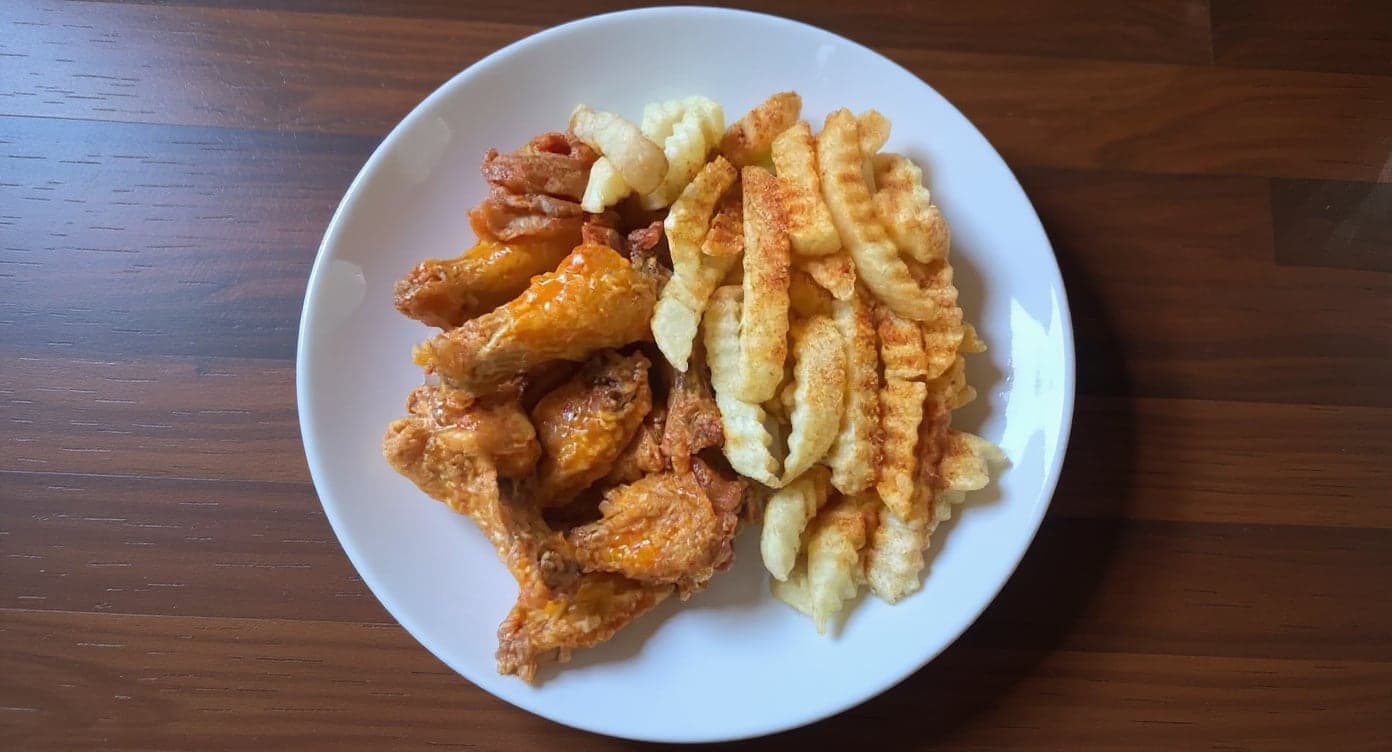
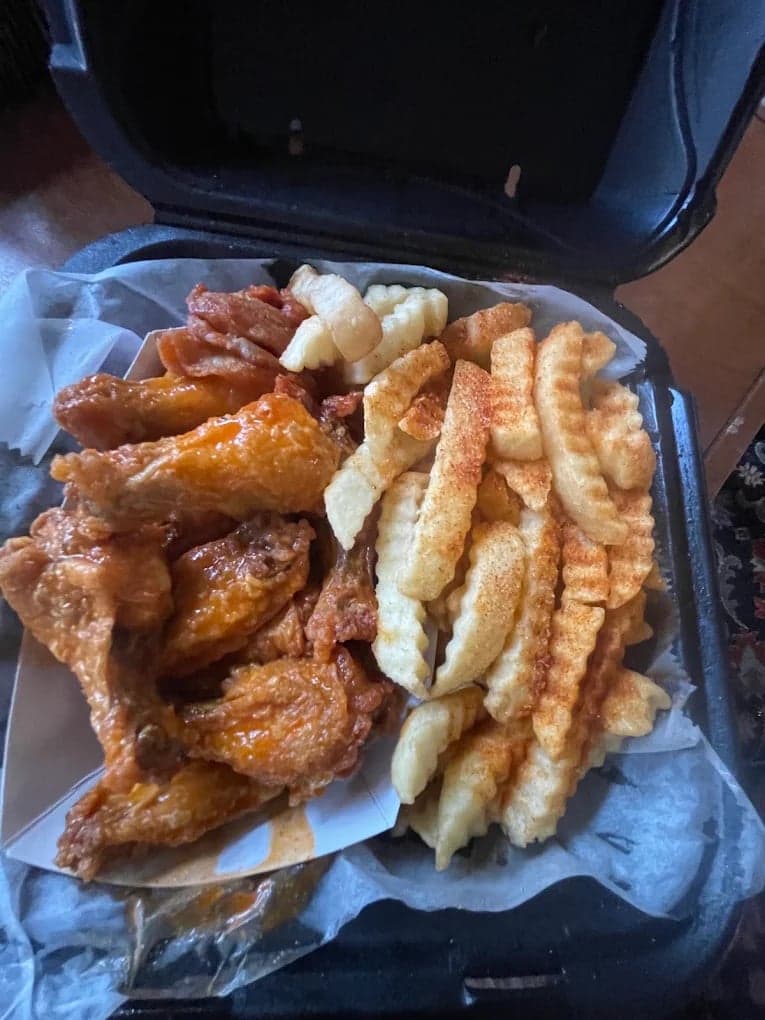
These DoorDash photos look amazing. Exactly the upgrade our shop needed.
5 photos free · No credit card · No watermark
Keep reading
- Which spec do you follow when a platform publishes two?All platforms
- What are DoorDash's menu photo requirements?DoorDash
- What are Grubhub's menu photo requirements?Grubhub
- Why was your DoorDash photo rejected?DoorDash
- Your menu photo was rejected. How do you find out why?Rejections
- Can my restaurant sell alcohol on DoorDash, Uber Eats and Grubhub?Alcohol

Su Lee
Founder, MenuPhotoLab · Atlanta, Georgia
I have photographed Atlanta restaurants for six years as a food creator, and for the last two my sister and I have run SocialLee Agency, shooting and uploading menus for independent restaurants around metro Atlanta.
Sources (9, each with the date it was read)
- Uber Help, Merchant submitted menu catalog photo guidelines (item photo size, shape, format and prohibitions), read
- Uber Help, Store submitted menu photo guidelines (the same rules, restated), read
- Uber Help, Adding cover images and menu catalog photos (cover spec, upload path, 3 business day review), read
- Uber Help, User-Submitted Photos FAQ (customer photos on a merchant's store page), read
- Uber Help, User-submitted photos FAQ, merchant version (shown only for dishes missing a photo, opt out). Read in a rendered browser fetch; plain curl returns 404, read
- Uber Eats for Merchants, Restaurant menu photography guidelines (complimentary shoot and its usage wording), read
- DoorDash for Merchants, Menu photography (the competing usage restriction, quoted), read
- DoorDash Help Center, Free DoorDash Photoshoots (the same rule stated as a request), read
- DoorDash Help Center, How to Book a Free DoorDash Photoshoot (session length, item count, who pays), read
Platform requirements change. This page carries the date each source was last checked. Self-serve prices are on the pricing page.
Not affiliated with Uber Eats, DoorDash, Grubhub.