
Which spec do you follow when a platform publishes two?
Follow the stricter figure. Grubhub publishes both 200 x 200 square PNG and 1600 x 1200 at 4:3 for the same menu item photo, on two of its own pages. DoorDash states 2 MB and 16 MB on one page. Toast recommends 750 x 450 and separately a 1000 pixel minimum. A file meeting the stricter number satisfies both readings.
At a glance
| Spec | DoorDash | Uber Eats | Grubhub |
|---|---|---|---|
| Shape | 16:9 landscape | 5:4 to 6:4 landscape | 1:1 to 4:3, Grubhub's own docs disagree |
| Minimum size | 1400 × 800 px | 550 × 440 px | 200 × 200 px |
| Max file size | 16 MB | 10 MB | Not stated |
| Formats | JPG or PNG | JPG, PNG, or GIF | PNG per the help center; PNG, JPEG or JPG per the developer docs |
From each platform's own page, latest read .

Su Lee · Founder, MenuPhotoLab
9 min read · Sources last read · 7 sources
On this page · 8 sections
- What does each delivery app require?
- Why does Grubhub publish two different photo sizes?
- What is DoorDash's actual file size limit, 2 MB or 16 MB?
- Does Toast's recommended image size fail Toast's own guidance?
- Why can't one photo work on every delivery app?
- How do you frame one photo for every app?
- What this means if you sell on more than one platform
- Frequently asked questions
Read in another language
Will your photo pass DoorDash, Uber Eats and Grubhub?
Check its size, shape and file type against DoorDash, Uber Eats and Grubhub’s published rules in a few seconds. The photo stays on your device and nothing is uploaded.
Drop a photo here, or choose one from your phone or computer.
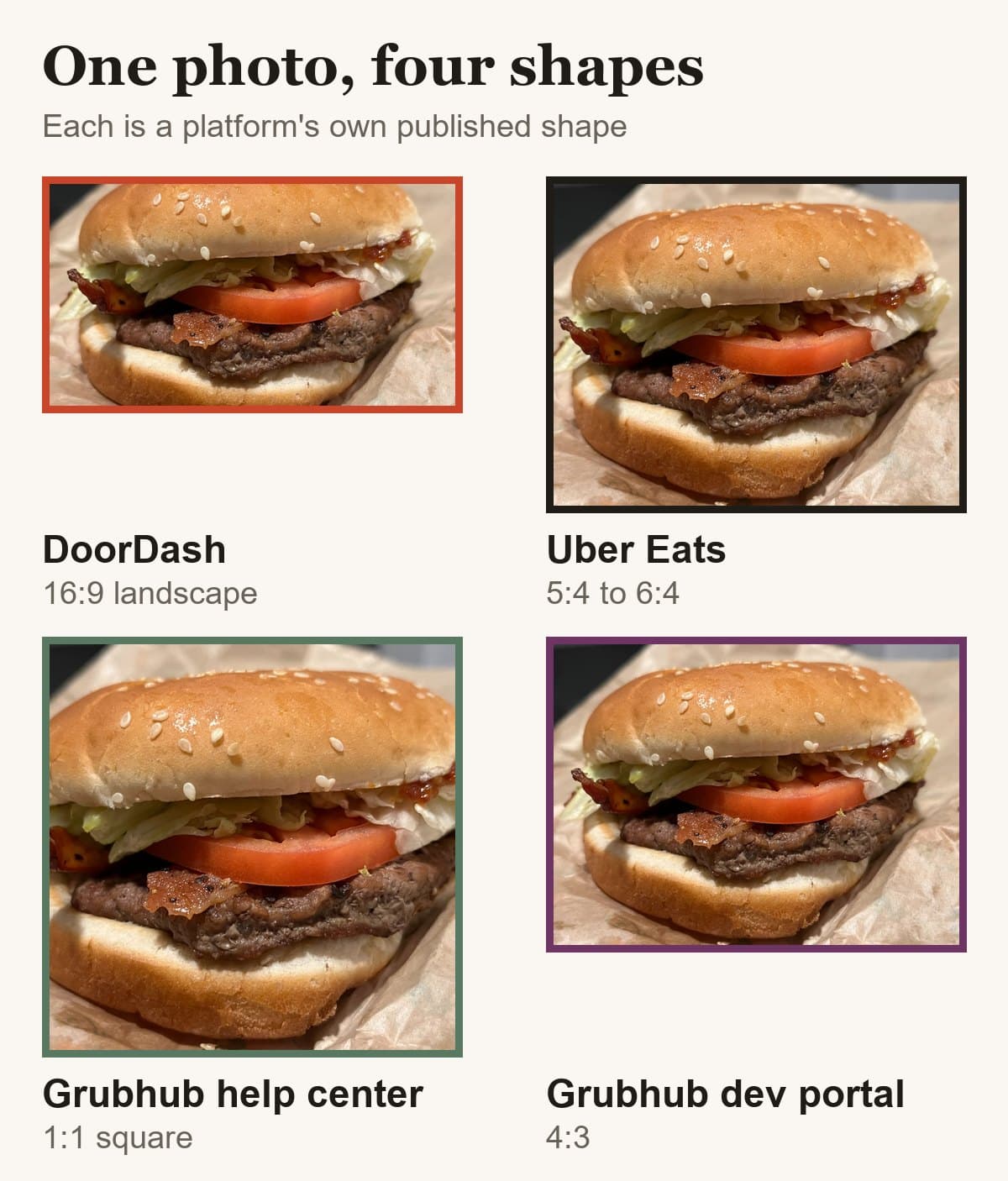
What does each delivery app require?
Every figure here comes from the platform's own merchant documentation, read on the date shown against each source. DoorDash wants 16:9, Uber Eats a band from 5:4 to 6:4, and Grubhub publishes two answers, which is where the rest of this page starts.
| DoorDash | Uber Eats | Grubhub | |
|---|---|---|---|
| Item photo shape | 16:9 landscape | 5:4 to 6:4 landscape | 1:1 to 4:3, Grubhub's own docs disagree |
| Minimum size | 1400 x 800 px | 550 x 440 px | 200 x 200 px |
| File types | JPG or PNG | JPG, PNG, or GIF | PNG per the help center; PNG, JPEG or JPG per the developer docs |
| File size cap | 2 MB stated, 16 MB for item photos | 10 MB | Not stated |
| Source | Read 2026-08-26 | Read 2026-08-30 | Read 2026-08-27 |
Most photo advice assumes each platform publishes one number. Read the documentation closely and that turns out not to be true. Three of the five platforms I upload to publish figures that disagree with figures published by the same company, sometimes on the same page.
This matters for a practical reason rather than a pedantic one. If you follow the wrong half of a contradiction, your photo is rejected and the rejection notice quotes the other half back at you.
| Platform | Says one thing | And also says | Which to follow |
|---|---|---|---|
| Grubhub | 200 x 200 px, 1:1, PNG only | 1600 x 1200 px, 4:3, PNG or JPEG | 1600 x 1200 at 4:3 |
| DoorDash | Maximum 2 MB | Under 16 MB | Stay under 2 MB |
| Toast | Recommends 750 x 450 | Recommends a 1000 px minimum side | Export 1920 x 1080 |
Why does Grubhub publish two different photo sizes?
This is the largest contradiction in delivery photo documentation, and neither Grubhub page acknowledges the other exists. They are not two levels of detail on one rule. They disagree on every field.
| Grubhub help center | Grubhub developer portal | |
|---|---|---|
| Minimum size | 200 x 200 px | At least 1600 x 1200 px |
| Aspect ratio | 1:1, square | 4:3 |
| File formats | .png only | .png, .jpeg or .jpg |
| Who it addresses | Restaurants uploading a menu themselves | POS and integration partners sending a menu feed |
An image that satisfies the help center is 48 times smaller in area than the developer portal's minimum, and the wrong shape besides. Square is not 4:3.
Which one binds you appears to depend on how your menu reaches Grubhub, manual upload versus a partner feed. Grubhub does not say that anywhere, so treat it as my inference from who each page is written for, not as a rule you can hold them to.
What is DoorDash's actual file size limit, 2 MB or 16 MB?
Both, on one page, in two different sections. The part explaining why photos get rejected for size states a 2 MB maximum. The requirements run-down further down the same page lists item photos as under 16 MB.
A merchant reading top to bottom gets one answer. A merchant skipping to the spec table gets another, eight times larger.
There is no ambiguity about what to do, which makes this the easiest of the three: stay under 2 MB and you satisfy both readings at once. It matters mainly as a warning about the rest. If a platform can contradict itself inside one page, a number you read somewhere else six months ago deserves re-checking.
Does Toast's recommended image size fail Toast's own guidance?
Yes, on two counts. Here are both articles, in Toast's own words.
For menu item images, we recommend a rectangle 750 px by 450 px.
Toast Online Ordering Pro menu templates support 1:1 (square), 4:3 (rectangle), and 16:9 (rectangle) aspect ratios. We recommend a minimum height or width of 1000 pixels to ensure high image quality.
A restaurant that follows the first recommendation exactly produces a file that misses the second one twice.
Size
750 px is its longest side, 250 px short of the 1000 px Toast asks for elsewhere.
Shape
750 x 450 is 5:3, or 1.667. Toast lists three supported ratios and 5:3 is not one of them. It sits between 4:3 (1.333) and 16:9 (1.778).
Export 1920 x 1080 and both articles are satisfied with room to spare: it is 16:9, which Toast lists, and its shortest side is already above the 1000 px figure.
One honest note on wording, because it changes how hard this conflict bites. Both Toast figures are phrased as recommendations rather than requirements, so neither is a rule you can be rejected against in the way DoorDash's 16:9 is. The shape half is the firmer of the two, because "support" is the verb Toast uses for the three accepted ratios.
Why can't one photo work on every delivery app?
Three separate reasons, and only one of them is the obvious one.
The shapes do not overlap
A 16:9 file is nearly twice as wide as it is tall. A 1:1 file is square. There is no single rectangle that is both. Cropping a 16:9 photo to a square removes about 44 percent of the width, and whatever was near the left and right edges goes with it.
The file formats do not overlap either
Grubhub's help center publishes a PNG-only requirement, though its developer documentation accepts JPG as well. DoorDash accepts JPG and PNG. Uber Eats accepts JPG, PNG and GIF. So even setting the crop aside, one exported file is not universally accepted.
DoorDash crops your photo a second time, after you upload it
This is the part most people miss. Your item photo has to be 16:9, but DoorDash also displays it as a centered square thumbnail. Their own glossary states that menu thumbnails appear as a centered square. So a single upload to a single platform already needs to survive two different crops.
How do you frame one photo for every app?
Keep the dish inside the middle 75 percent of the frame, in both directions.
That number is not a rule of thumb, it is what the published requirements work out to. Take a 4:3 photo. The 16:9 crop keeps the full width and removes the top and bottom. The 1:1 crop keeps the full height and removes the sides, and you cannot avoid that one: DoorDash renders every item photo as a centered square thumbnail, and Grubhub's help center asks for a square outright. The 5:4 crop sits between them. The area that survives all three is the center 75 percent of the width and 75 percent of the height. Anything outside that rectangle is cut by at least one platform.
The 75 percent figure is specific to a 4:3 photo. Shoot a different shape and the safe zone moves, because the crop that hurts you changes.
| You shoot | Safe width | Safe height | What you lose |
|---|---|---|---|
| 4:3 | 75% | 75% | Balanced. The most forgiving shape |
| 5:4 | 80% | 70% | More off the top and bottom |
| 3:2 | 67% | 84% | More off the sides |
| 16:9 | 56% | 100% | Nearly half the width, to the square crop |
| 1:1 | 100% | 56% | Nearly half the height, to the 16:9 crop |
Two things follow. Shoot 4:3 if you sell on all three platforms, because it is the only shape where no single crop takes a large bite. And check what your camera is set to before a shoot: 4:3 is the default for stills on most phones, but video mode, panorama, and many pro modes shoot 16:9, which is the worst shape here despite being the one DoorDash asks for.
Shoot at the largest size any platform accepts and scale down, then export separately per platform. Not one file renamed three times.
What this means if you sell on more than one platform
The usual advice is to export one file per platform. These contradictions mean that is not enough on its own, because for some platforms there is no single agreed target to export to.
What survives everything is framing the shot with room around the dish. Every conflict above is about size and shape, and both are decided when the photo is taken rather than when it is exported. A dish photographed tight to the edges cannot be recropped to 4:3 and 1:1 and 16:9 from the same original. A dish with margin can.
The practical rule I use on my own uploads: shoot wide, export to the strictest figure in each contradiction, and keep the original. Strictest means 1600 x 1200 for Grubhub, under 2 MB for DoorDash, and 1920 x 1080 for Toast. Every one of those also clears the looser figure it conflicts with.
Frequently asked questions
Which Grubhub photo size is correct, 200 x 200 or 1600 x 1200?
Both are published by Grubhub, on two different pages, and neither mentions the other. The help center says at least 200 x 200 pixels, 1:1, PNG only. The developer portal says at least 1600 x 1200 pixels at 4:3 in PNG or JPEG. Upload 1600 x 1200 at 4:3: it clears the help center's minimum many times over, and 200 x 200 would fail the developer portal on both size and shape.
Is DoorDash's photo file size limit 2 MB or 16 MB?
DoorDash publishes both figures on the same page, read 2026-09-22. The section on why photos are rejected states a 2 MB maximum; the requirements list further down states under 16 MB for item photos. Keep your file under 2 MB and you satisfy both, whichever one the review actually applies.
Should I follow the stricter or the looser figure?
The stricter one, in every case here. A file that meets the tighter requirement also meets the looser one, so following the strict figure means you are covered whichever rule the platform's review applies. The reverse is not true: a 200 x 200 square PNG fails the Grubhub developer portal on size and shape, with nothing else wrong with it.
Will a photo sized for DoorDash work on Uber Eats and Grubhub?
No. DoorDash requires 16:9, which is 1.78:1. Uber Eats accepts 5:4 to 6:4, or 1.25 to 1.5, so a DoorDash file is wider than its whole accepted range. Grubhub's help center asks for a 1:1 square. A file exported to DoorDash's shape is out of spec on both of the others before its content is judged at all.
Can I use the same photo on all three delivery apps?
Not the same file. The three platforms want three different shapes and do not accept an identical set of file formats. You can use the same shoot for all three if the dish was framed with margin on all four sides, then export a separate crop for each platform.
Why does my photo look fine on DoorDash but cropped wrong in the list view?
Because DoorDash shows the same image twice, at two different shapes. The item detail view uses your 16:9 photo. The menu list shows a centered square thumbnail cut from it. Anything near the left or right edge disappears in the square version.
Real client work
A real restaurant's takeout photo, now live on DoorDash
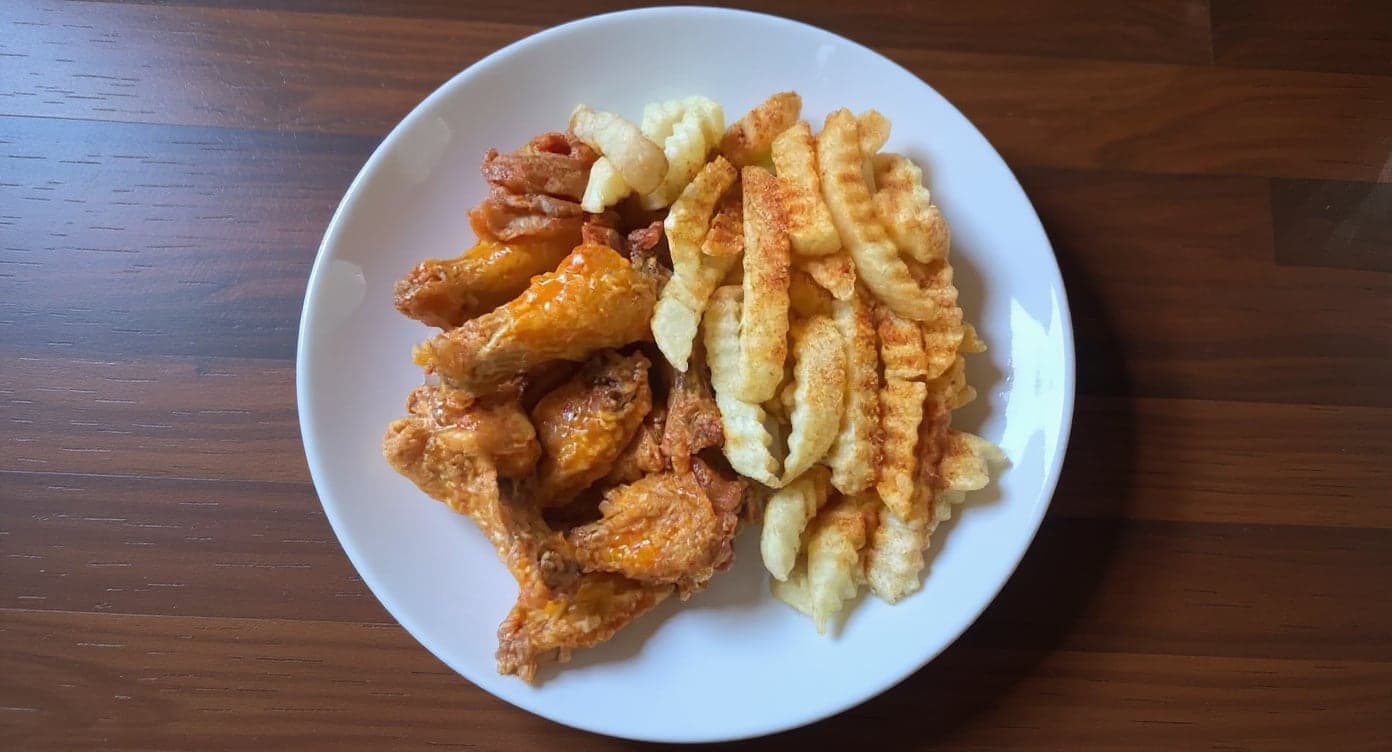
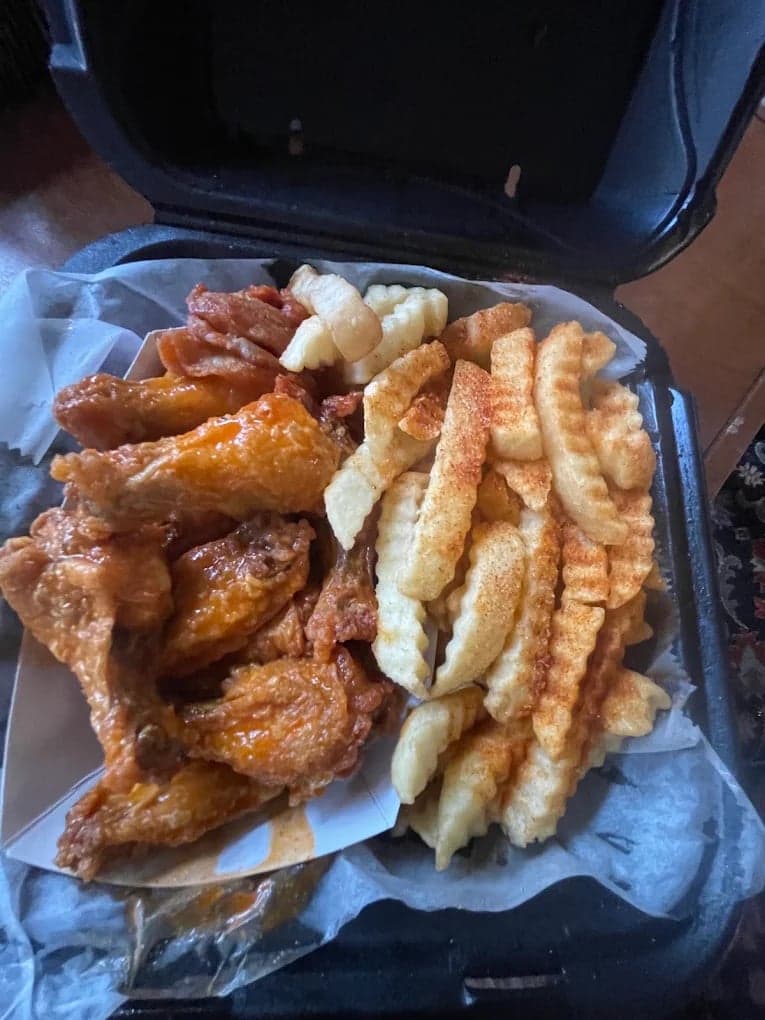
These DoorDash photos look amazing. Exactly the upgrade our shop needed.
5 photos free · No credit card · No watermark
Keep reading
- What are DoorDash's menu photo requirements?DoorDash
- What are Uber Eats' menu photo requirements?Uber Eats
- What are Grubhub's menu photo requirements?Grubhub
- What are Toast's menu photo requirements?Toast
- Your menu photo was rejected. How do you find out why?Rejections
- What do you get from DoorDash's free photoshoot?DoorDash

Su Lee
Founder, MenuPhotoLab · Atlanta, Georgia
I have photographed Atlanta restaurants for six years as a food creator, and for the last two my sister and I have run SocialLee Agency, shooting and uploading menus for independent restaurants around metro Atlanta.
Sources (7, each with the date it was read)
- Grubhub, Menu imagery specifications (developer portal: item 1600 x 1200 at 4:3, logo 200 x 200). This page is a JavaScript app and returns "Grubhub is loading..." to curl, so it has to be read in a rendered browser. A failed fetch here does not mean the page is gone., read
- Grubhub, Menu overview (help center: 1:1 square, at least 200 x 200, .png only), read
- DoorDash, Common photo issues explained (both the 2 MB and the 16 MB figures), read
- DoorDash, Menu photo terms glossary (thumbnails appear as a centered square), read
- Uber Eats, Merchant submitted menu catalog photo guidelines (5:4 to 6:4, 550 x 440 minimum, JPG, PNG or GIF), read
- Toast, Adding images to menu items ("we recommend a rectangle 750 px by 450 px", 5 MB, jpg or png), read
- Toast, Online Ordering Pro menu image requirements (1:1, 4:3 or 16:9, and a recommended 1000 px minimum side), read
Platform requirements change. This page carries the date each source was last checked. Self-serve prices are on the pricing page.
Not affiliated with Grubhub, DoorDash, Toast, Uber Eats.